25.10.2026 by Viktor Siebert
Yaskawa CIMR-04JP3-3B00M: Alarm 9 on a tool changer drive
Yaskawa CIMR-04JP3-3B00M: alarm 9 on a tool changer drive
The Yaskawa AC drive CIMR-04JP3-3B00M was sent to industrypart with alarm 9 reported on its LED display. The unit operates in a tool changer application. We have encountered this symptom in several repairs of comparable units. This case focused on overhauling all boards, with particular attention to the power output stage. The photographs document the condition before and after repair, complemented by a test recording.
Identification and correct product family
The nameplate reads CIMR-04JP3-3B00M. The alternative spelling CIMR-04JP3-3BOOM uses the letter O instead of the two zeros and is treated here as a search variant, not a confirmed different version. The unit was described to us as “Juspeed-F S300 Series”. Yaskawa’s product-family list assigns CIMR-…JP3 to Juspoint III, whereas S300 is listed under AS3 or CS3. The full nameplate code therefore governs documentation and replacement identification.
Technical data of this unit
| Item | Nameplate or case information |
|---|
| Hersteller / Manufacturer | Y-E DRIVE CORPORATION / YASKAWA |
| Modell / Model | CIMR-04JP3-3B00M |
| Device type | AC drive used in a tool changer application |
| Output power | 0,4 kW / 0.4 kW |
| AC input | 180–242 / 180–253 V; 50/60 Hz; 3 Phasen / phases; 3,0 A |
| AC output | 180 V; 3 Phasen / phases; 3 A |
| Documented terminals | R, S, T / U, V, W; protective earth and multipin signal connectors |
| Construction | Stacked boards with heat sink |
| Reported fault | LED: 9 |
These values refer to the photographed unit. They do not approve a different supply voltage, motor size or machine configuration. The exact machine model and its wiring diagram are not available for this report. Hardware identification, connector assignments, motor and stored settings must be checked together before replacement. Similar power ratings or matching connectors alone do not establish interchangeability.
Documented boards and their diagnostic relevance
| Visible identification / assembly | Interpretation |
|---|
| W30501-5 / JBFPM3 | Top board with LED display and signal connectors. Record the display location when documenting an alarm. |
| W30433-2 | Marking on another board level. Useful for identifying the actual assembly; a photograph alone does not establish its complete circuit function. |
| W30409-3 | Marking in the lower assembly near the nameplate. Include it with the drive model when identifying parts. |
| Power terminals and heat sink | Interface to the power path and heat dissipation. Contact condition and thermal coupling belong in the overall assessment. |
| Ribbon cable and internal connectors | Connect the boards. Visual inspection and reliable connections matter alongside each individual board. |
Why a tool changer needs coordinated drive electronics
A tool changer needs more than motion. Its mechanism must accelerate, decelerate and reach its intended position at the right time. Machine enables, position information and electrical motor control must work together. A stoppage can therefore originate in the machine or in the drive itself.
In simplified terms, electrical energy passes from the supply connection through the internal power path to the output stage and motor. In parallel, the control electronics process commands and feedback. Current measurement provides important information about the electrical operating condition. An implausible measurement signal can affect control or monitoring even when no burnt components are visible. Conversely, an abnormal display alone does not identify the failed component.
Alarm 9: identify the display board first
The customer report specifies alarm 9 but does not unambiguously identify the display board or flashing behaviour. In the Juspoint III manual, inverter code 9 denotes a current-detector fault (CT error); position-module code 9 concerns the zero-point position. We therefore record the reported digit without claiming an unverified specific trigger. Source: DTSE-S606-9.1, printed pages 48–49, tables 7.3 and 7.4.
Inverter-display alarm reference
Inverter-board reference from table 7.4, not a list of faults observed on this unit.
| Code | Meaning |
|---|
| 1 | Overcurrent / short circuit |
| 2 | Regenerative overvoltage |
| 3 | Overspeed |
| 4 | Undervoltage |
| 5 | PG fault |
| 6 | Motor overtemperature |
| 7 | CPU self-test fault |
| 8 | CPU watchdog fault |
| 9 | Current-detector fault |
| b | Ground fault |
| 0 | Other fault |
Diagnosis: distinguish internal electronics from the machine
A useful general starting point is precise fault documentation: which display shows the code, does it flash, and does the fault occur at power-up or only during motion? A photograph of the complete assembly helps identify the relevant board. This prevents use of an alarm table belonging to a different display level.
The assessment should distinguish supply and internal electronics from motor cable, motor, feedback and mechanics. If a fault occurs only during a particular movement, that sequence is useful diagnostic information. A blocked mechanism and an incorrect measurement signal require different remedies. These are general diagnostic considerations, not claims of additional measurements performed on the customer’s machine.
Repair scope and test documentation
The overhaul covered all boards, especially the power output stage. This comprehensive approach recognises that the boards depend on shared supplies and signals. It does not mean that every board was replaced in full. No component list or specific measurements are documented for this report, so individual semiconductor or capacitor replacements are not added.
The after-repair photographs show the overhauled assembly. The supplied test recording documents bench operation. It does not replace a protocol specifying load profile, test duration and acceptance limits. After reinstallation, the complete tool-change sequence still needs checking with the machine enables, mechanics and position feedback.
Prevention and practical guidance for operators
Clean cooling surfaces, sound connectors and installation protected from contamination support reliable operation. Significant contamination, loose connections or recurring faults should be documented and professionally investigated. Photographs of board markings and a backup of existing settings are useful when planning repair. Do not change parameters experimentally to conceal a hardware fault. Work on an open drive belongs with qualified personnel following the prescribed isolation and discharge procedures.
Sources and scope
Case information, original photographs and test recording: industrypart. Manufacturer references: Yaskawa Juspoint III User Manual, DTSE-S606-9.1, pp. 48–49; Yaskawa product-family list.
Test-run video
Before and after photographs
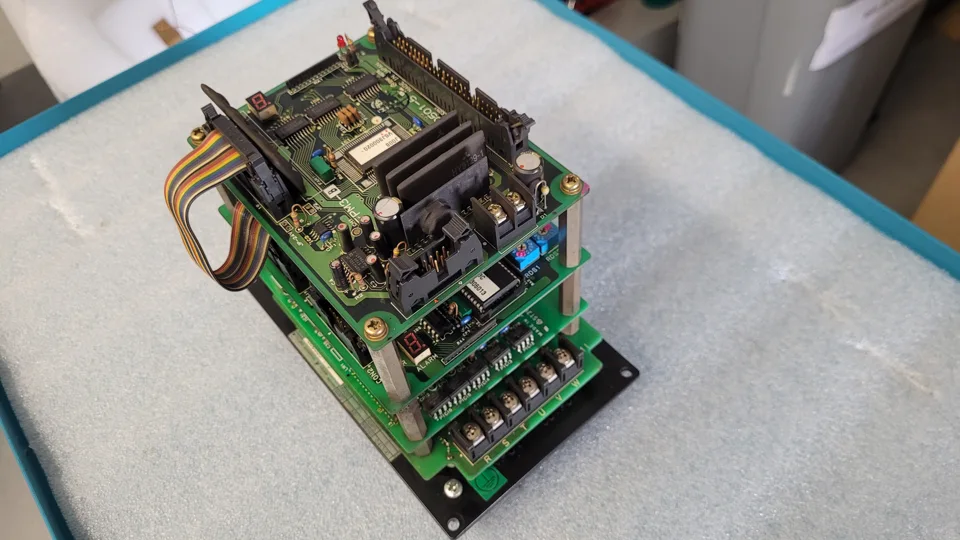 Yaskawa CIMR-04JP3-3B00M: Before repair: overall view
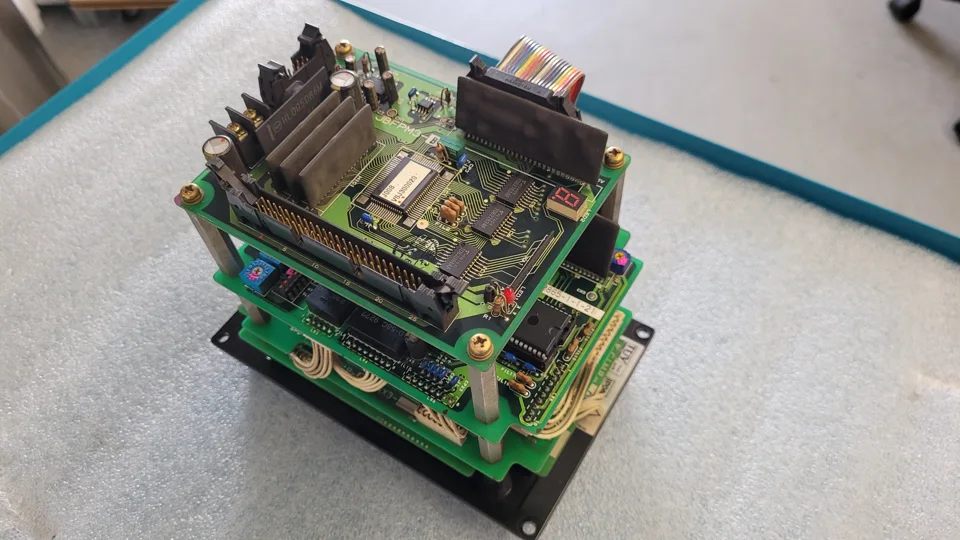 Yaskawa CIMR-04JP3-3B00M: Before repair: board stack
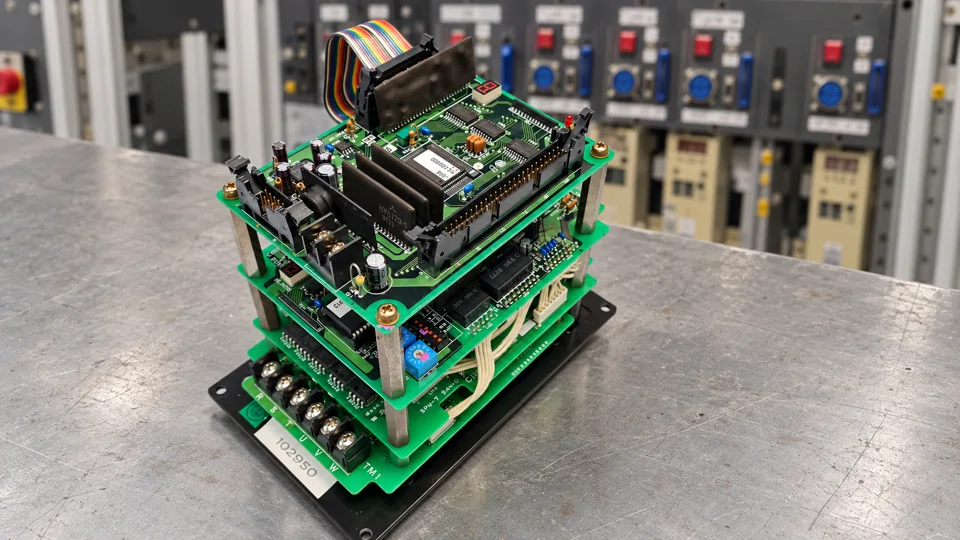 Yaskawa CIMR-04JP3-3B00M: After repair: main view
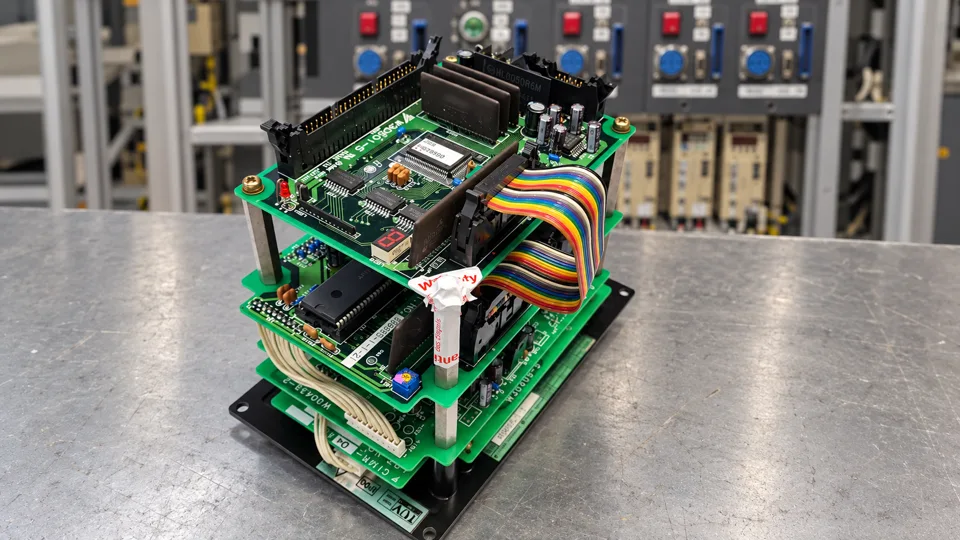 Yaskawa CIMR-04JP3-3B00M: After repair: rear view
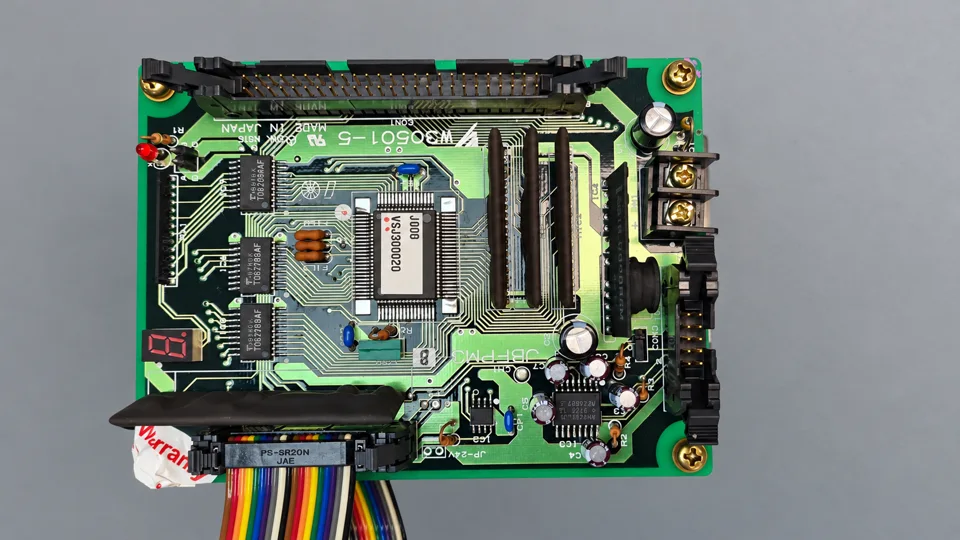 Yaskawa CIMR-04JP3-3B00M: After repair: top board
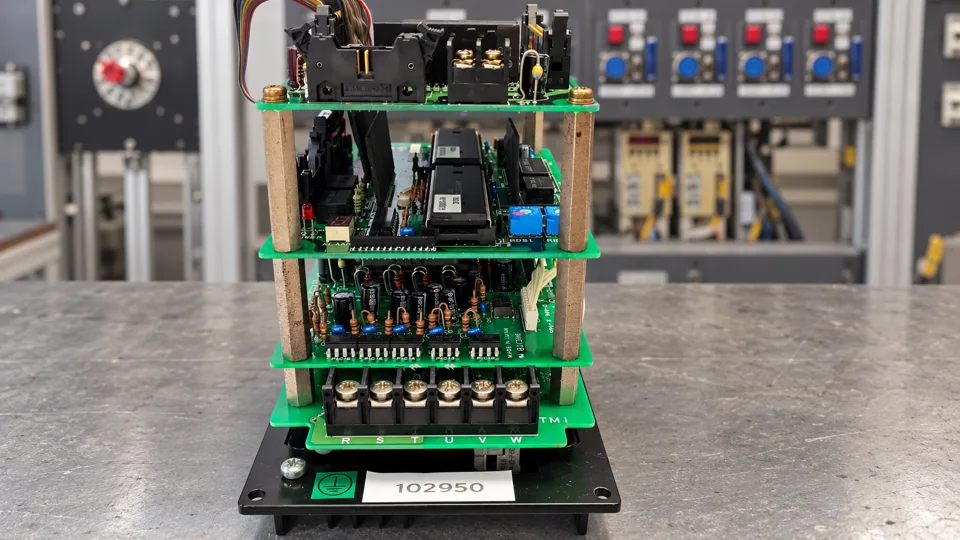 Yaskawa CIMR-04JP3-3B00M: After repair: power terminals
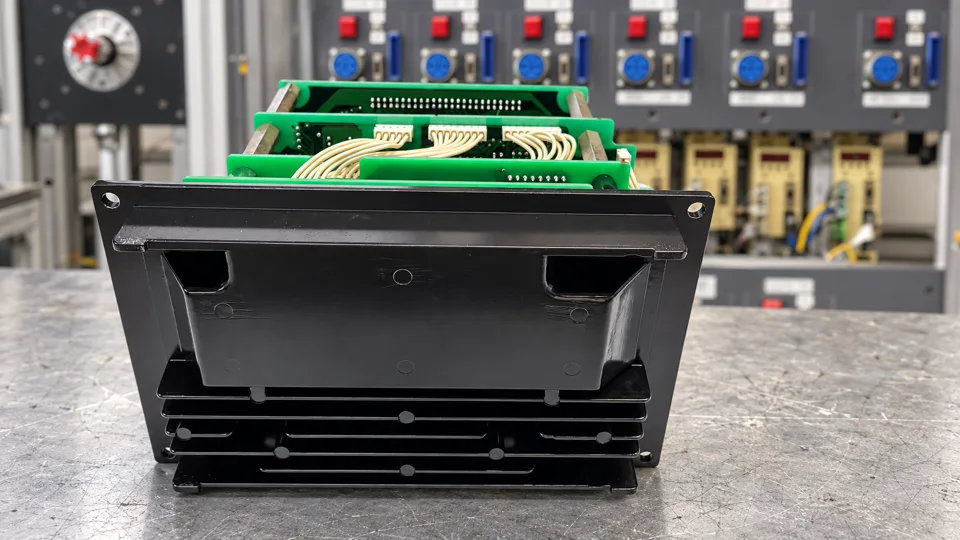 Yaskawa CIMR-04JP3-3B00M: After repair: heat sink
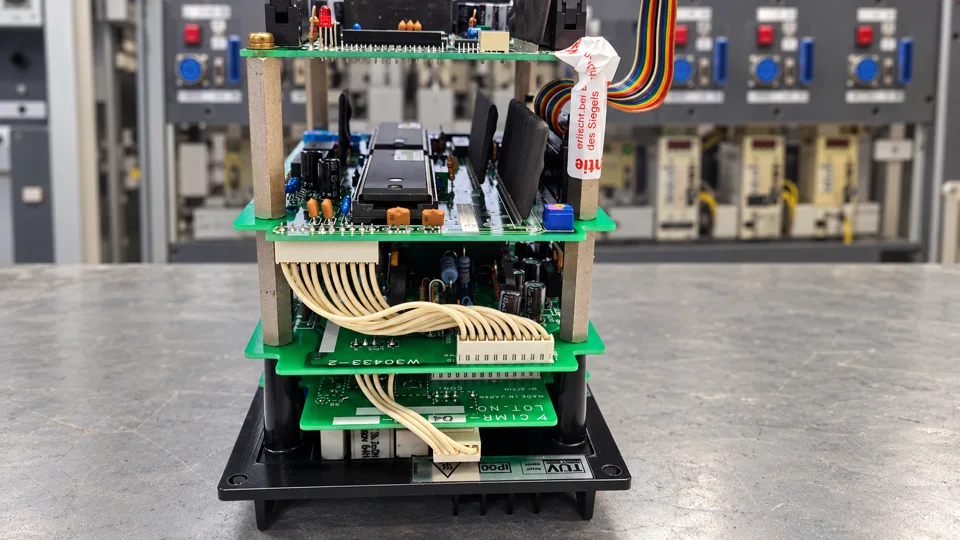 Yaskawa CIMR-04JP3-3B00M: After repair: board stack
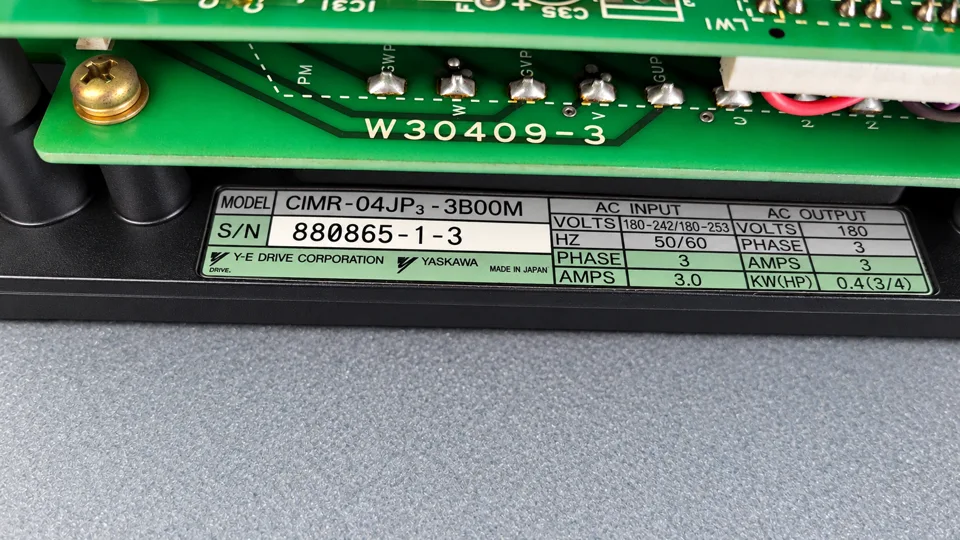 Yaskawa CIMR-04JP3-3B00M: Nameplate
Request a repair assessment
Send the complete model code, a nameplate photograph, an alarm photograph showing the board and a description of when the fault occurs. industrypart supports you with diagnosis, repair and preventive overhaul of industrial drive electronics.
For more information about our repairs of Yaskawa drive electronics, visit our Yaskawa repair service page.
View this model in our shop: Yaskawa CIMR-04JP3-3B00M AC Drive. Please confirm the complete device configuration before ordering.