21.10.2026 by Viktor Siebert
Okuma VAC II D30-A / 1006-1236: spindle drive fails to start, comprehensive repair
Power was present, but the spindle drive would not start. This Okuma VAC II D30-A, also listed as the 1006-1236 VACII-Drive Unit, was sent to industrypart because the machine could no longer operate correctly. Inspection revealed several defects and clear signs of ageing. A successful initial power-up after replacing defective fuses was therefore only an intermediate step. The customer chose a comprehensive repair followed by testing on our test stand.
Incoming condition and diagnosis
Our technicians found blown fuses, damaged fans and irregularities in the internal power supply and other electronic assemblies. Once the defective fuses had been replaced, the unit could be switched on again without a further alarm appearing initially. This did not mean that all wear-related weaknesses had been addressed.
The incoming inspection considered both the immediate failure and the overall wear condition of the unit.
Identifying the drive and its configuration
| Item | Description |
|---|
| Manufacturer | Okuma |
| Unit | VACII-Drive Unit / spindle drive |
| Model and associated identifier | D30-A / 1006-1236 |
| Documented assemblies | VAC BOARD II; the manufacturer manual also lists VAC card 1 and the D30A power unit for VAC II-D30 |
| Function | Control and monitoring of the associated VAC spindle motor |
| Documentation | Okuma Maintenance Manual 3727-E, part C: high-precision VAC II |
| Case outcome | Successful extended functional test, stable internal supply, no further alarm; returned on a pallet |
The model number alone does not establish interchangeability. The manual distinguishes the power unit, control boards and settings appropriate to the motor. Full identification, board version, motor matching and configuration must therefore be considered together when selecting a replacement. A D30-A label from a different VAC version does not automatically confirm compatibility.
The assemblies involved in starting the spindle
A spindle drive needs more than voltage at its input terminals. Its internal supply must power the electronics, the controller must be ready and the required signals must be present before the motor can operate under control. This distinction helps narrow down a starting problem rather than immediately blaming either the complete drive or only a fuse.
| Area | Function and diagnostic value |
|---|
| VAC BOARD II and VAC card 1 | Control, signal processing and communication. Status indications help distinguish internal faults from NC messages. |
| Internal power supply | Powers control and monitoring circuits. Available mains voltage does not demonstrate that every internal supply is stable. |
| Power circuit and fuses | Transfers electrical power to the motor and incorporates protective functions. A blown fuse calls for investigation of its associated circuit. |
| Fans and cooling paths | Remove dissipated heat. Damaged fans can reduce thermal margin. |
| Motor, feedback and machine enables | Form part of the complete system. A start problem can originate outside the drive; their condition cannot be established solely from a drive that fails to start. |
Why replacing the fuses was not the end of the repair
A replacement fuse restores an interrupted current path. It does not renew other components or restore cooling. Further damage and signs of ageing were present in this case. Restricting the work to getting the unit to switch on would have left those findings unresolved.
Professional investigation considers the affected supply branch and its connected assemblies. Replacement fuses must match the specified type. Repeated replacement or using a higher rating is not a diagnostic method.
Confirmed repair work
| Area | Work completed |
|---|
| Internal supply | Faulty areas repaired |
| Electronic components | Damaged and worn components renewed |
| Fuses | Defective fuses replaced |
| Cooling | Damaged fans replaced |
| Preventive work | Age-critical components reworked or renewed |
| Cleaning and checks | Unit thoroughly cleaned and subsequently checked |
The scope was selected according to the condition of this unit. Workshop photographs document the new fans and the cleaned assemblies. The important point was the combination of correcting the immediate fault and addressing additional wear-related areas.
Understanding VAC-II alarm indications
The following selection of relevant alarms is a general reference, not a list of faults observed in this repair. It is based on part C of Okuma manual 3727-E, pages C20-R2 to C22-R2, table 3-3. The first number is the drive indication; the second is the associated CRT/NC alarm number. A code identifies a detected condition, not necessarily the defective component.
| Drive / CRT | Meaning, paraphrased |
|---|
| 6 / 1107 | Resolver signal missing |
| 7 / 1108 | RAM access fault |
| 8 / 1109 | VAC-to-NC communication fault |
| 10 / 1111 | Instantaneous motor-cable overcurrent |
| 11 / 1112 | Inverter bridge-arm short circuit |
| 12 / 1113 | Regenerative main-circuit overcurrent |
| 13 / 1114 | Main-circuit DC voltage too high |
| 14 / 1115 | Three-phase input voltage too low |
| 15 / 1116 | Input phase missing |
| 16 / 1117 | VAC BOARD control supply too low |
| 17 / 1118 | Power-circuit DC voltage fails to rise |
| 19 / 1120 | Motor temperature above permitted value |
| 20 / 1121 | Heat-sink temperature above permitted value |
| 21 / 1122 | Invalid PBU or online parameter data |
| 26 / 1131 | Watchdog not cleared |
| 28 / 1133 | VAC BOARD CPU fault |
| 29 / 1134 | VAC card CPU fault |
| 30 / 1135 | Excessive motor-speed deviation |
An important distinction for diagnosis: code 14 concerns the three-phase incoming supply, code 16 the control voltage on the VAC board, and code 17 the rise of DC voltage in the power circuit. These are different conditions. Codes 19 and 20 refer to motor and heat-sink temperature respectively. Checking cooling paths, fan operation and actual loading helps interpret such alarms, but does not establish the cause of the failure described here.
The manual describes indications on the NC screen, the seven-segment display and individual LEDs on VAC BOARD II. An NC-detected fault need not also appear on the drive display. Where several faults occur, a priority alarm may be shown. Photographs of the complete drive indication and the NC message are therefore more useful for a repair enquiry than a number in isolation. This reference applies to the documented VAC-II configuration. VAC III or MIV alarm lists must not be transferred without verification.
A practical approach to power present but no start
First describe the symptom precisely: does the display remain dark, does it show a fault, or is the drive ready while the spindle fails to run? Does the fault occur immediately at power-up, after an enable command, or during acceleration? These distinctions lead to different diagnostic paths and help avoid unnecessary component replacement.
Qualified personnel can then use the correct machine diagrams to investigate the supply, fuse circuits, internal voltages, connectors and enable signals systematically. Faults that appear only during movement also require consideration of the motor, wiring, feedback and mechanical load. Work inside power circuits requires qualified personnel and consideration of stored energy even after power has been removed.
Final functional test and return shipment
Following the repair, the Okuma VAC II D30-A was operated on our test stand for an extended period without another alarm. The internal power supply remained stable and the final functional test was completed successfully. The original footage in the video shows excerpts from the test-stand work.
The unit was then securely packed on a pallet and returned to the customer.
Preventive measures for operators
Cooling paths and filters should be inspected at intervals appropriate to operating conditions. Changed fan noise, reduced airflow or recurring temperature-related faults warrant professional investigation. A rotating fan alone does not demonstrate adequate airflow. Recording starting behaviour and alarm indications can also help before an intermittent problem becomes a permanent stoppage.
For older drives, the choice between a limited repair and a comprehensive overhaul should reflect the overall condition. Several worn areas were addressed in this job. This preserved the failed spindle drive and reduced the risk of further age-related failures.
Technical source
Okuma Drive Units Maintenance Manual 3727-E, part C: Spindle Drive Unit for VAC II Motor, particularly C1-R2 for assembly matching and C20-R2 to C22-R2 for indications and alarms. Repair findings and test results are from this workshop case. The documentation is a series reference; the specific machine configuration remains decisive.
Images from this repair case
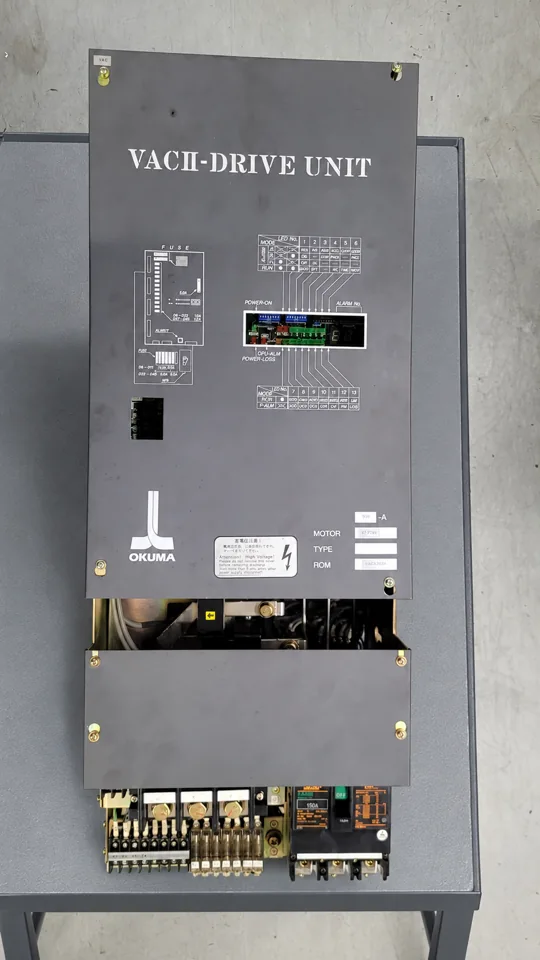 Okuma VAC II D30-A / 1006-1236, before repair, view 1
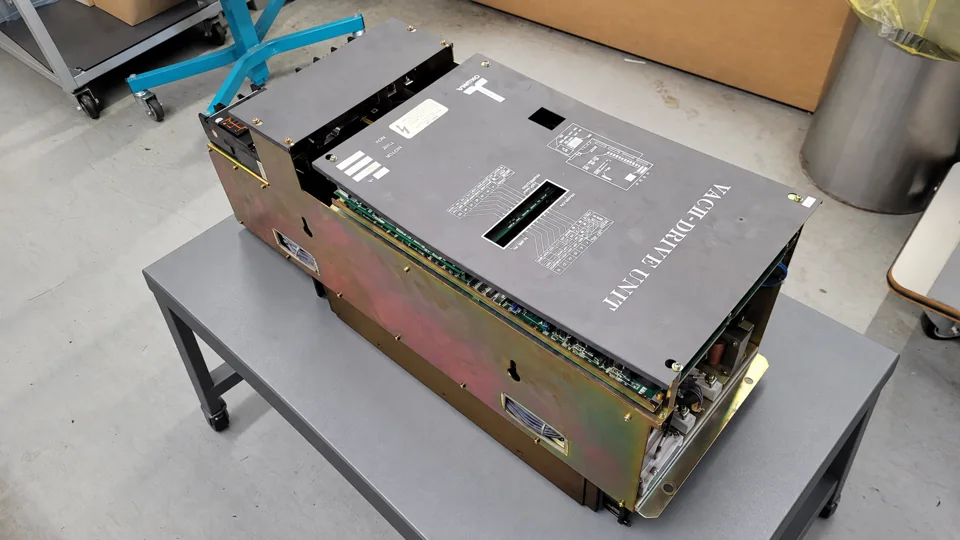 Okuma VAC II D30-A / 1006-1236, before repair, view 2
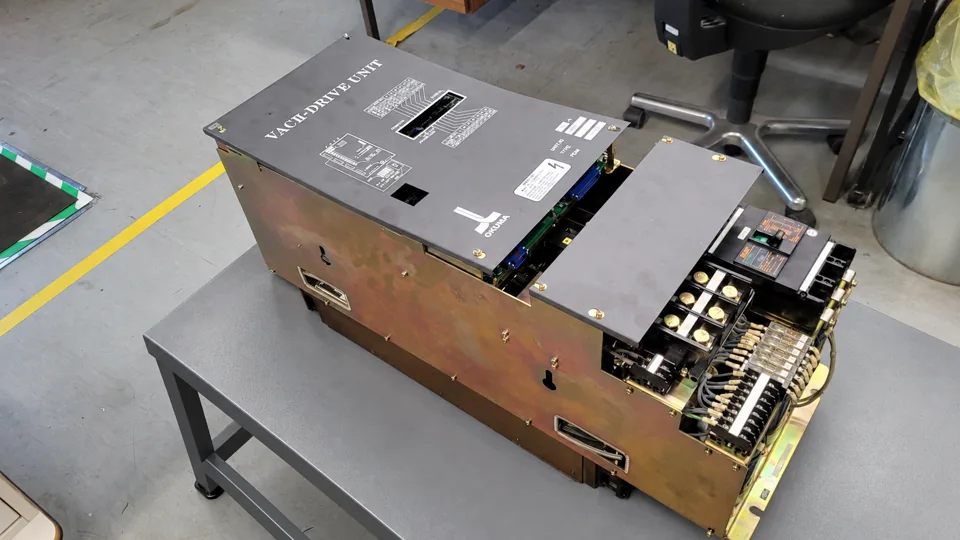 Okuma VAC II D30-A / 1006-1236, before repair, view 3
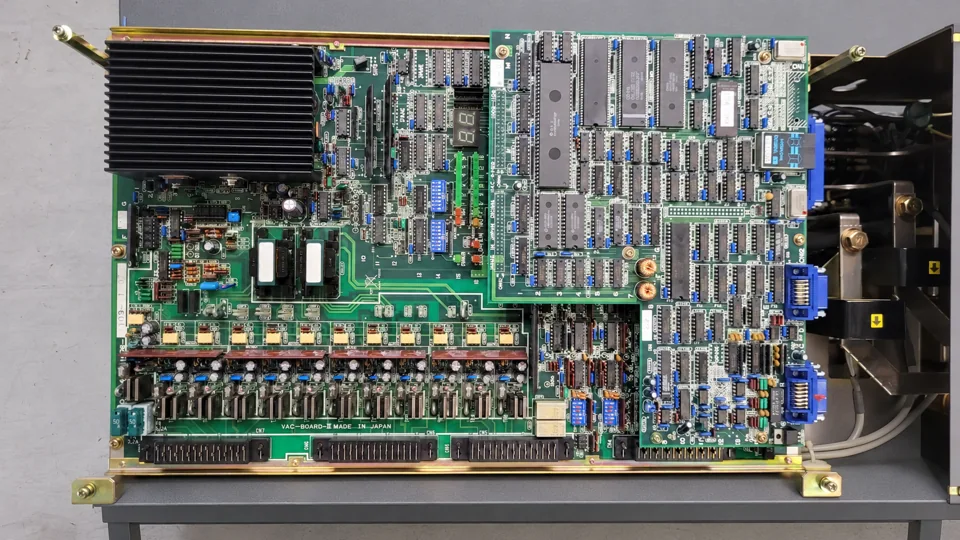 Okuma VAC II D30-A / 1006-1236, before repair, view 4
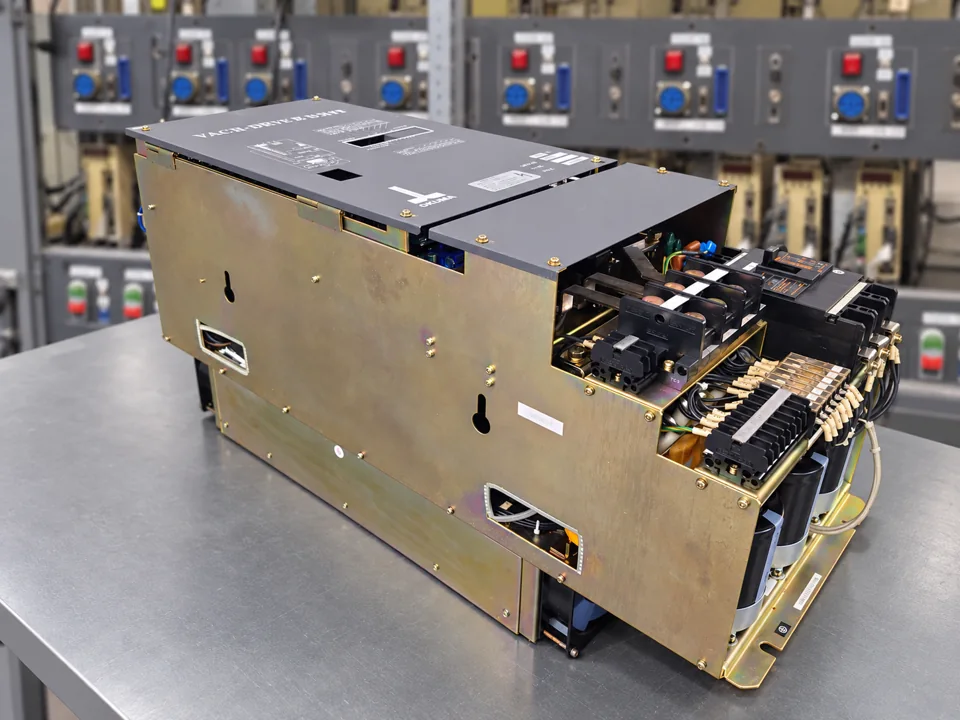 Okuma VAC II D30-A / 1006-1236, after repair, view 1
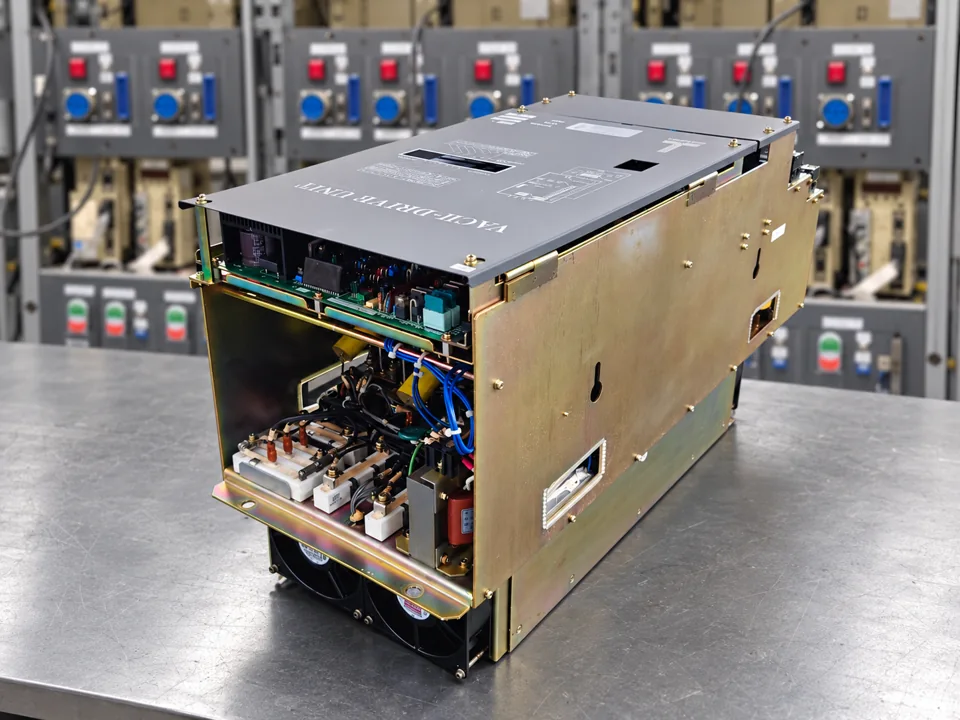 Okuma VAC II D30-A / 1006-1236, after repair, view 2
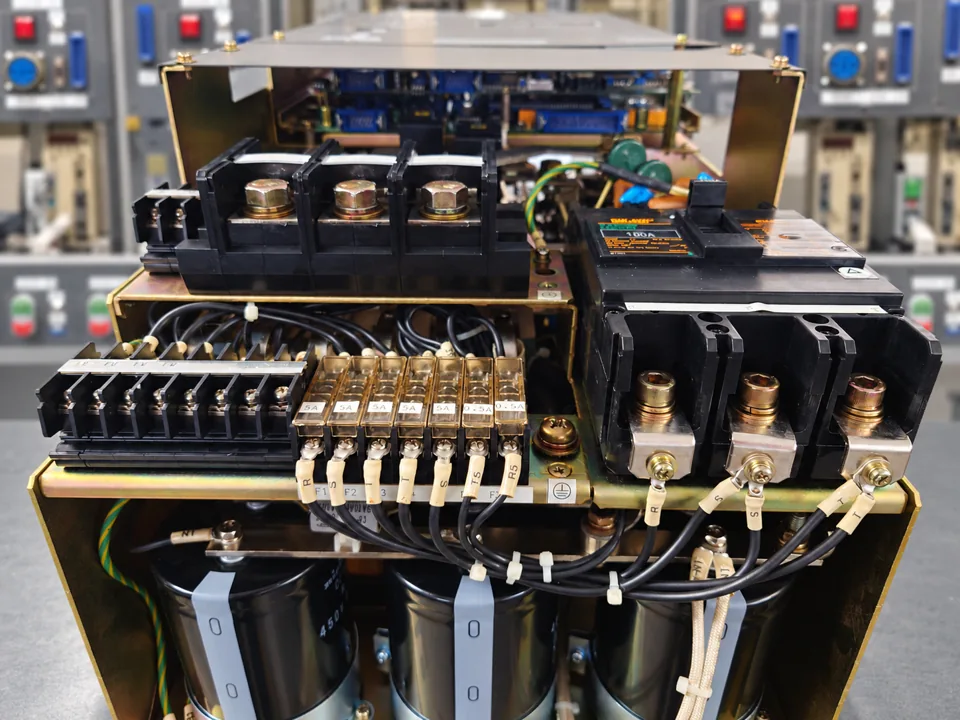 Okuma VAC II D30-A / 1006-1236, after repair, view 3
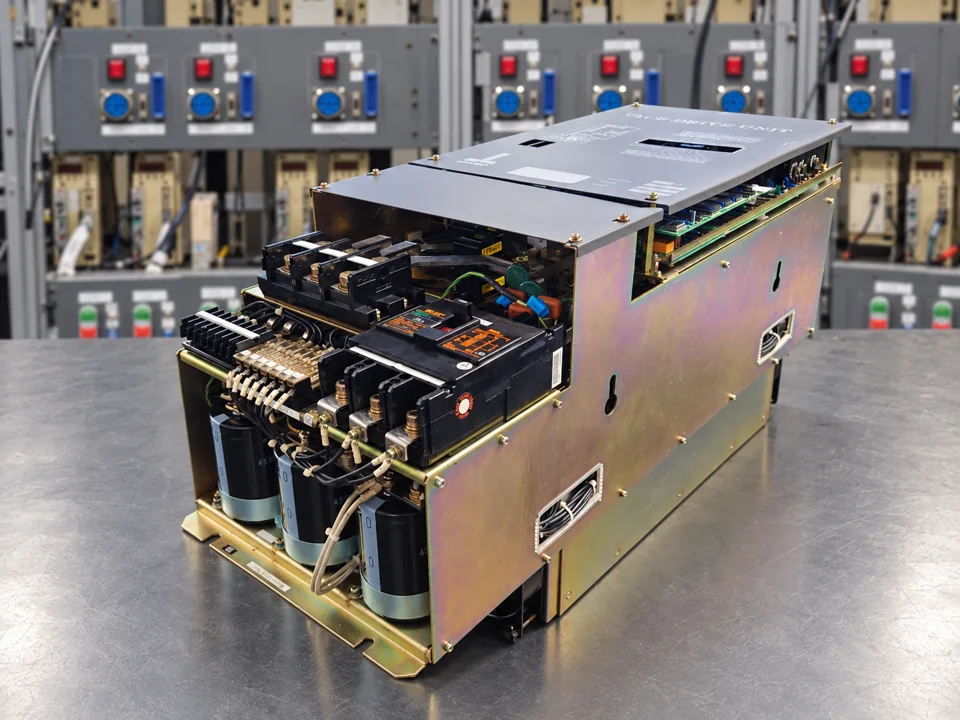 Okuma VAC II D30-A / 1006-1236, after repair, view 4
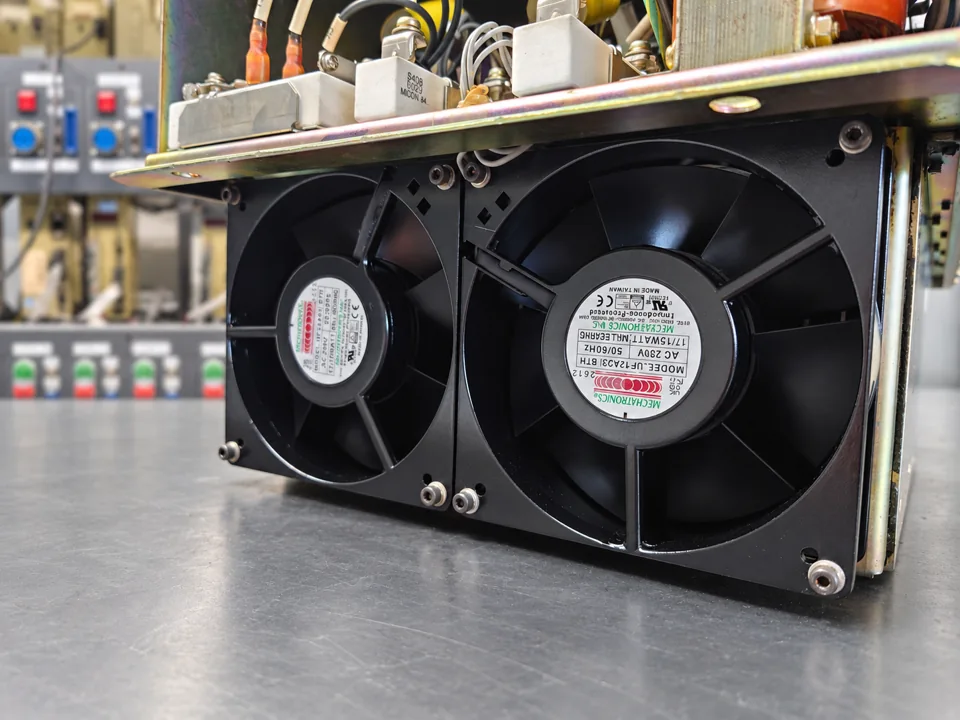 Okuma VAC II D30-A / 1006-1236, after repair, view 5
Request a repair for your Okuma spindle drive
If your Okuma VAC II D30-A fails to start or develops recurring faults, send us the complete unit designation, photos and a description of the symptoms. We will assess the repair options.
Okuma D30-A / 1006-1236 in our shop · Okuma repair service · Contact us